cPanel/WHM Vulnerability (CVE-2026-41940): Immediate Recovery & Protection Guide
Critical cPanel/WHM vulnerability CVE-2026-41940 may allow attackers to bypass authentication. Learn how to recover, secure, and protect your VPS immediately.

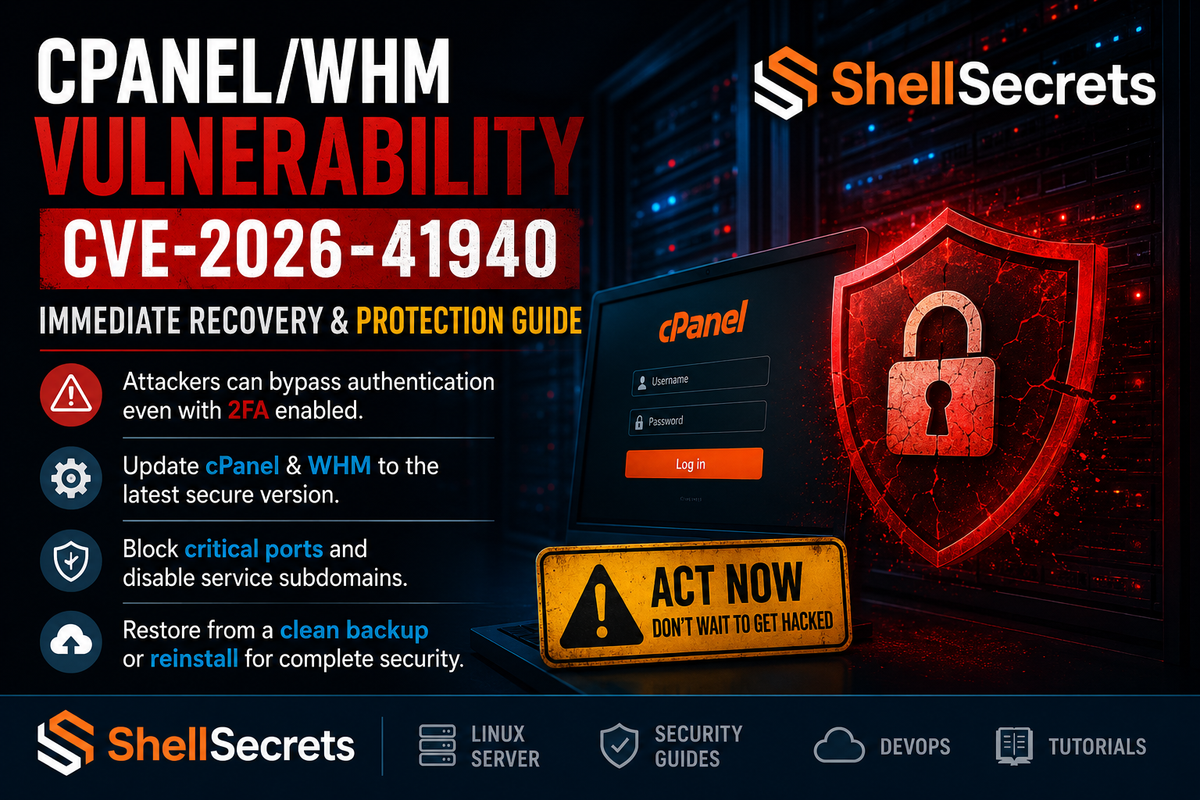
The newly disclosed CVE-2026-41940 has created serious concerns for server administrators and hosting providers worldwide. According to reports, attackers may exploit affected systems without valid login credentials, potentially bypassing authentication mechanisms — even when Two-Factor Authentication (2FA) is enabled.
For VPS owners, hosting providers, and system administrators, this is not a vulnerability to ignore. If your server is running an outdated version of cPanel/WHM, immediate action is critical.
Why This Vulnerability Is Dangerous
Unlike traditional brute-force attacks, this vulnerability may allow attackers to gain unauthorized access directly to WHM/cPanel services.
That means:
- Passwords alone may not protect your server
- 2FA may not stop attackers
- Websites and emails may continue working normally while the server is secretly compromised
- Attackers can create persistent backdoors for future access
This makes detection difficult, especially for unmanaged VPS owners.
⚠️ Immediate Action Required
If you suspect your server is compromised — or if you are running an affected version — take the following steps immediately.
1. Restore a Clean Backup
Before doing anything else:
Check for:
- VPS snapshots created before the compromise
- External backups
- Automated backup systems
- Remote backup storage
Recommended:
Restore a backup that is at least 48 hours older than the suspected compromise date.
Restoring a recently infected backup can instantly reintroduce malware or hidden backdoors.
2. Update cPanel & WHM Immediately
After restoring the server:
Update cPanel:
/scripts/upcp --force
Update the Operating System:
For AlmaLinux / Rocky Linux:
dnf update -y
For Ubuntu:
apt update && apt upgrade -y
Secure Versions
Ensure your server is running one of these versions or newer:
- 11.86.0.41+
- 11.110.0.97+
- 11.118.0.63+
- 11.124.0.35+
- 11.126.0.54+
- 11.130.0.19+
- 11.132.0.29+
- 11.134.0.20+
- 11.136.0.5+
If your version is older, your server may still be vulnerable.
3. Emergency Protection for Outdated Systems
If you cannot update immediately:
Block cPanel Ports
Use firewall rules to temporarily block access to:
2083
2087
2095
2096
Example Using CSF Firewall
csf -d 0.0.0.0/0 2083
csf -d 0.0.0.0/0 2087
Disable Service Subdomains
Disable proxy/service subdomains such as:
- webmail.domain.com
- cpanel.domain.com
- whm.domain.com
This reduces external exposure while you prepare updates.
Signs Your Server May Already Be Compromised
Even if websites appear normal, your server may still be infected.
Common Warning Signs:
- Unable to log into WHM/cPanel
- Passwords suddenly stop working
- Unknown admin users created
- Suspicious cron jobs
- High CPU or network activity
- Unexpected SSH keys added
- Spam emails originating from the server
If WHM access has changed unexpectedly, treat the server as compromised immediately.
Recommended Recovery Method
Option A — Restore from Backup
If a verified clean backup exists:
- Restore the backup
- Login via SSH immediately
- Run:
/ scripts/upcp --force
- Update the OS
- Rotate all passwords and SSH keys
Option B — Full OS Reinstallation (Safest)
For heavily compromised servers, the safest solution is:
Steps:
- Boot into rescue mode
- Recover important files
- Backup databases and website data
- Reinstall the operating system completely
- Install the latest cPanel version
- Harden the server before reconnecting services
This is the only reliable method to remove hidden persistence mechanisms and backdoors.
Essential Post-Recovery Security Checklist
After recovery:
Change:
- Root password
- WHM passwords
- SSH keys
- Database passwords
- Email passwords
- API tokens
Enable:
- CSF Firewall
- Fail2Ban
- ModSecurity
- ImunifyAV or Imunify360
- SSH key authentication
- Automatic updates
Audit:
- Cron jobs
- Running processes
- SSH authorized_keys
- Web server logs
- cPanel user accounts
Backup Lessons Every VPS Owner Should Learn
One of the biggest problems during incidents like this is the lack of reliable backups.
Best Practices:
- Keep daily offsite backups
- Use remote object storage
- Maintain weekly VPS snapshots
- Test restoration regularly
- Never rely on a single backup source
A backup is only useful if restoration actually works.
Final Thoughts
The CVE-2026-41940 incident is a reminder that server security is not optional anymore.
For hosting providers, developers, and VPS owners, proactive security practices matter more than ever. Delaying updates or ignoring warning signs can lead to complete server compromise, data theft, spam abuse, or long-term persistence by attackers.
If you are unsure whether your server is safe:
- Assume compromise
- Restore from a clean backup
- Fully update the system
- Reinstall if necessary
When it comes to infrastructure security, fast action is always cheaper than recovery.
About ShellSecrets
ShellSecrets focuses on Linux server management, VPS security, DevOps, and infrastructure hardening. Stay connected for more server security insights, Linux tutorials, and hosting industry updates.