The Hidden Tax of AI Coding: Why CI/CD Secret Scanning Isn't Enough
AI coding agents are changing how credentials leak. Learn how to secure Git history, cloud identities, and CI/CD workflows without slowing development.

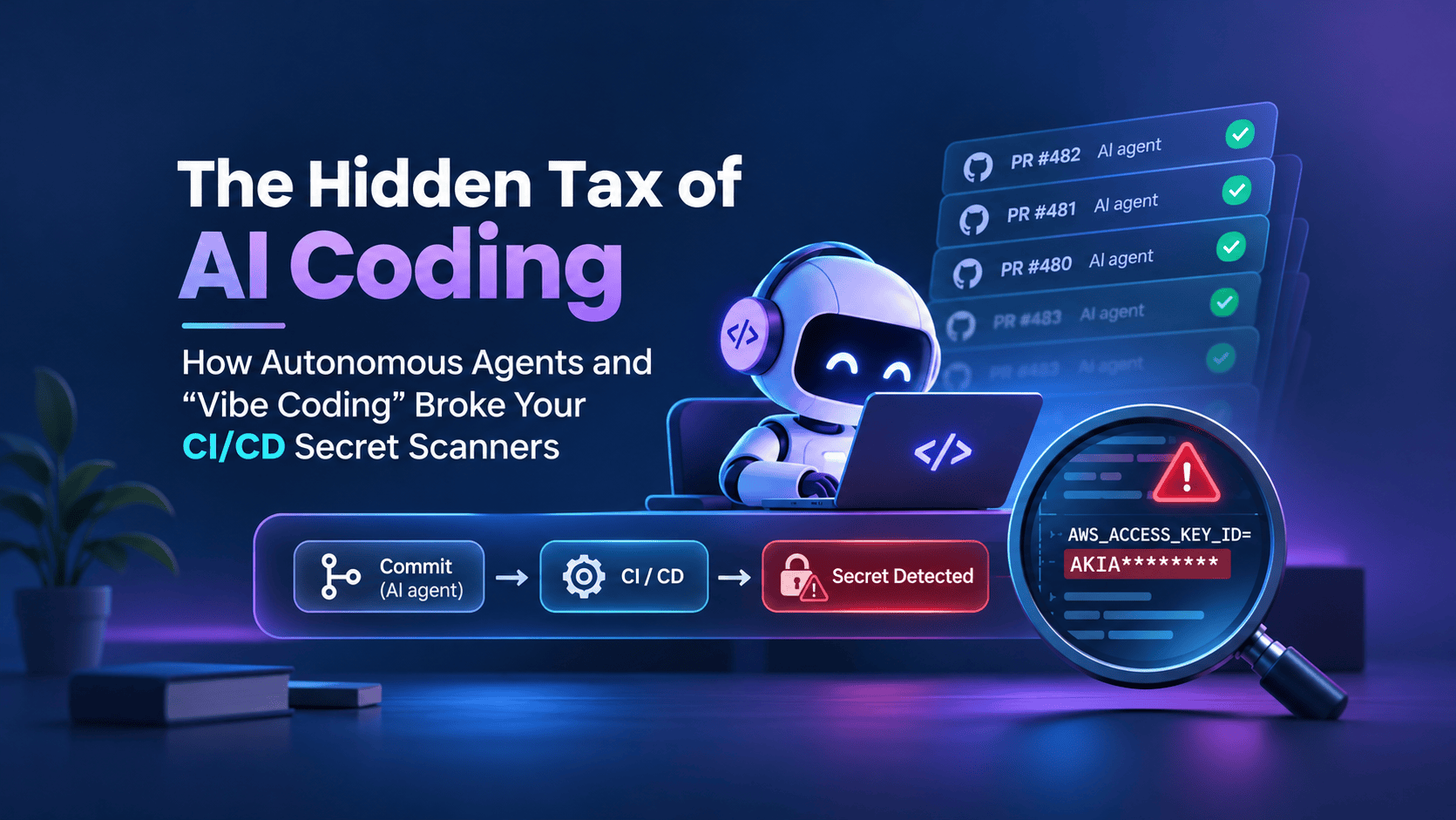
Imagine an AI coding agent troubleshooting a failing cloud deployment. It creates a temporary configuration file containing an API key, commits the change, runs a few tests, and removes the file before opening a pull request.
The final diff looks clean. CI passes. No exposed credentials appear in the current codebase. But the API key may still exist in Git history.
Now imagine that same agent can execute terminal commands, read environment variables, and modify deployment workflows. The problem suddenly extends far beyond accidentally committing a password.
This is the hidden tax of vibe coding.
AI coding assistants have evolved from autocomplete tools into systems capable of generating applications, debugging failures, modifying infrastructure, and proposing changes with limited human intervention. Development is getting faster, but many CI/CD security controls still assume a relatively predictable, human-driven workflow.
The issue isn't that tools like Gitleaks, TruffleHog, or GitHub secret scanning have stopped working. It's that autonomous agents can expose credentials through paths those scanners were never designed to inspect.
For DevOps and platform engineering teams, the challenge is to keep security controls effective without sacrificing the productivity that makes AI-assisted development valuable.
Why AI Coding Changes the CI/CD Security Model
Traditional development usually follows a familiar process. A developer writes code, commits changes, pushes a branch, opens a pull request, and waits for CI checks before merging.
Autonomous coding agents can compress several iterations into a single task. They generate files, execute commands, inspect errors, rewrite configurations, and sometimes create commits before a developer reviews the result.
That changes where security risks appear.
Local Git hooks, for example, are useful for catching mistakes before a commit. But they're not an enforcement boundary. A developer can bypass them with git commit --no-verify, and an agent with unrestricted shell access may be capable of doing the same.
Then there's the problem of intermediate commits. A credential introduced in one commit and deleted in another may no longer appear in the final pull-request diff, even though it remains accessible through Git history.
Perhaps most importantly, coding agents interact with systems beyond the repository. They may read environment variables, execute cloud CLI commands, inspect build logs, or communicate with external tools. A secret exposed through one of those channels might never appear in Git at all.
Higher development velocity isn't inherently insecure. The risk emerges when automated tools gain access to more systems than the surrounding security controls can adequately govern.
The Secret Sprawl Problem
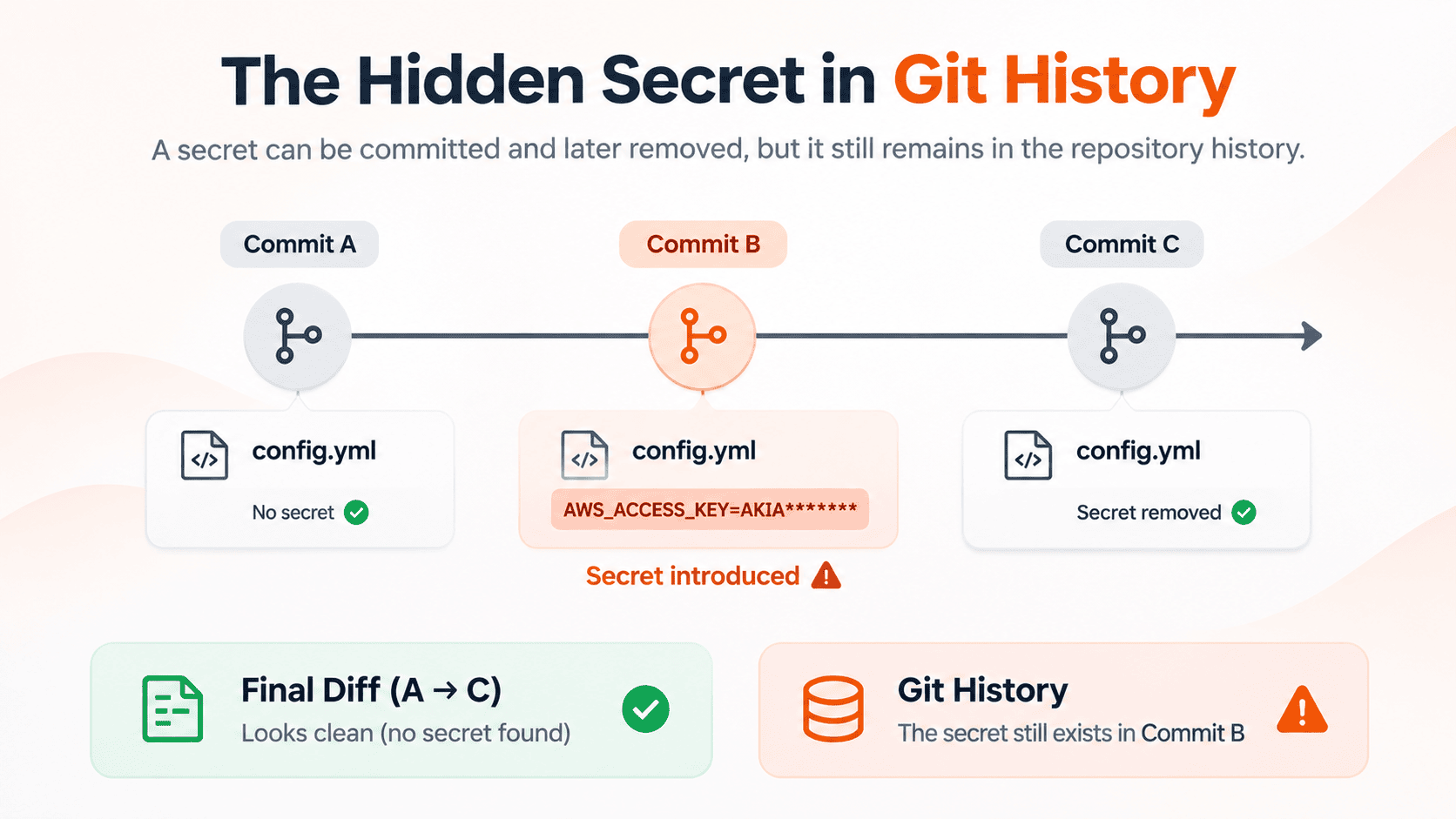
Consider a hypothetical example.
An agent encounters an AWS authentication error while troubleshooting a deployment. It reads a local environment file, copies a credential into a temporary configuration, and commits the change. After another attempt, it removes the credential and commits again.
By the time a developer reviews the pull request, the configuration file looks harmless.
A scanner examining only the latest file contents may report no findings. Yet the credential could still be recovered from an earlier commit.
This is one form of secret sprawl in automated pipelines: credentials appearing in places they were never intended to exist, sometimes briefly enough to escape ordinary review.
The problem extends beyond Git history. Secrets can also appear in test fixtures, terminal output, CI logs, generated artifacts, and connected services.
And not every credential has a recognizable format. Even well-configured scanners have detection limits.
A clean scan is useful evidence, but it should never be treated as proof that no credentials were exposed.
Scan Git History, Not Just the Latest Files
One of the simplest improvements is to ensure your secret scanner examines relevant commit history rather than only the current working tree.
Gitleaks supports scanning Git patches and selecting commit ranges through --log-opts.
For example:
gitleaks git --redact \
  --log-opts="BASE_SHA..HEAD_SHA" .
Replace BASE_SHA and HEAD_SHA with the relevant commit identifiers. This allows Gitleaks to inspect changes across the selected range, including secrets introduced and removed in intermediate commits.
For a broader repository audit, you can scan all available history:
gitleaks git --redact --log-opts="--all" .
Full-history scanning is useful for scheduled audits and establishing a security baseline. Running it on every pull request, however, can become expensive for large repositories. A more efficient production setup scans the appropriate commit range for each event and performs periodic full-history audits.
A GitHub Actions example
A basic GitHub Actions workflow can fetch complete history and run Gitleaks against it.
name: Secret Scan

on:
  pull_request:

permissions:
  contents: read

jobs:
  gitleaks:
    runs-on: ubuntu-latest

    steps:
      - name: Checkout repository
        uses: actions/checkout@v4
        with:
          fetch-depth: 0
          persist-credentials: false

      - name: Install Gitleaks
        run: |
          # Install a verified, pinned Gitleaks release
          # using your organization's approved method.
          gitleaks version

      - name: Scan repository history
        run: |
          gitleaks git --redact \
            --log-opts="--all" .
This example illustrates the scanning approach rather than providing a complete production workflow. The installation step must be replaced with a verified Gitleaks installation, and production pipelines should use appropriate event-specific commit ranges.
One detail is worth emphasizing: fetch-depth: 0 makes Git history available to the runner. It doesn't automatically instruct a scanner to inspect every commit. That behavior must be configured in the scanning command.
For untrusted pull requests, avoid privileged execution patterns that expose repository secrets or write credentials to code supplied by external contributors.
Replace Long-Lived AWS Keys With OIDC
Detecting leaked credentials is important. Reducing the number of credentials available to leak is even better.
Many CI/CD environments still rely on static cloud access keys stored as repository or organization secrets. Those keys may remain valid for months and can be reused if exposed.
OpenID Connect (OIDC) provides a safer alternative for supported cloud integrations.
Instead of storing permanent AWS access keys, GitHub Actions can request an identity token. AWS validates the token against an IAM trust policy and issues temporary credentials for an authorized role.
A simplified GitHub Actions workflow looks like this:
name: AWS Identity Check

on:
  push:
    branches: [main]

permissions:
  contents: read
  id-token: write

jobs:
  aws-auth:
    runs-on: ubuntu-latest

    steps:
      - name: Configure AWS credentials
        uses: aws-actions/configure-aws-credentials@v6
        with:
          role-to-assume: arn:aws:iam::123456789012:role/ci-deploy
          aws-region: ap-south-1
          role-duration-seconds: 900

      - name: Verify identity
        run: aws sts get-caller-identity
The AWS account ID and role are examples. The workflow also requires an OIDC provider and a correctly configured IAM role in AWS.
The requested 900-second session duration is subject to AWS role and service constraints. Temporary credentials reduce the exposure window, but they can still be misused while valid.
Restricting access with an IAM trust policy
The IAM trust policy determines which GitHub workflows are allowed to assume the role.
For example:
{
  "Version": "2012-10-17",
  "Statement": [
    {
      "Effect": "Allow",
      "Principal": {
        "Federated": "arn:aws:iam::123456789012:oidc-provider/token.actions.githubusercontent.com"
      },
      "Action": "sts:AssumeRoleWithWebIdentity",
      "Condition": {
        "StringEquals": {
          "token.actions.githubusercontent.com:aud": "sts.amazonaws.com",
          "token.actions.githubusercontent.com:sub": "repo:example-org/example-repo:ref:refs/heads/main"
        }
      }
    }
  ]
}
This example restricts access to the specified repository and branch using the traditional GitHub OIDC subject format. Organizations using customized subject claims must adjust the policy accordingly.
The role also needs a separate, least-privilege IAM permissions policy.
OIDC doesn't eliminate every credential-related risk, and it doesn't automatically secure local development environments. But it removes the need to keep long-lived AWS keys in GitHub Actions, which is a meaningful improvement.
Enforce Server-Side Push Protection
Pre-commit hooks provide useful feedback, but security enforcement shouldn't depend entirely on what happens on a developer's laptop.
GitHub's secret scanning push protection can detect supported credential patterns and block a push before the commits are accepted by the remote repository.
Unlike a local Git hook, a server-side check cannot be disabled with git commit --no-verify.
That makes push protection especially valuable in environments where autonomous agents can execute Git commands.
However, push protection has limitations. Not every credential pattern is supported, and some configurations allow authorized users to bypass a block.
For production repositories, enable push protection where available, restrict bypass permissions, and require mandatory security checks before merging. Security-sensitive files such as GitHub Actions workflows should also receive additional review.
For GitOps environments, the same principle applies to Terraform configurations, Kubernetes manifests, Helm charts, and IAM policies.
An AI agent may be allowed to propose infrastructure changes, but that doesn't mean it should have permission to approve and deploy them independently.
Secure the Agent, Not Just the Pipeline
Even comprehensive Git scanning cannot detect every credential exposed through an agent's terminal, runtime environment, or external tool connections.
This is where agent security becomes a platform engineering responsibility.
Coding agents should operate in isolated environments with access only to the files, services, and credentials needed for their tasks. Production credentials shouldn't be available by default, and network access should be restricted where practical.
Changes to CI workflows, deployment policies, and other security-sensitive configurations should require independent approval.
Another concern is prompt injection. Agents routinely read repository documentation, issue descriptions, and external tool responses while working. Some of that content may be controlled by an attacker.
If an agent treats untrusted content as authoritative instructions, it could be manipulated into executing unintended commands or exposing sensitive information.
OWASP's AI Agent Security Cheat Sheet discusses these risks in greater detail.
The important distinction is that a coding agent isn't simply a text generator. When it can execute commands and interact with infrastructure, it becomes an active workload that needs appropriate security boundaries.
What If a Secret Has Already Leaked?
Finding a secret in Git history requires more than deleting the affected line.
Start by revoking or rotating the credential. Then determine where it may have been exposed, including repository history, CI logs, build artifacts, and agent tool output.
Review the relevant provider's access logs for suspicious activity and replace the credential with a more secure authentication method.
You may also need to remove sensitive information from repository history, but history rewriting isn't a substitute for revocation. Existing clones, caches, and previously downloaded artifacts may still contain the original value.
Finally, investigate why the exposure wasn't prevented or detected earlier. The objective isn't simply to clean up one incident, but to prevent the same failure from recurring.
DevOps Is Becoming More About Trust Boundaries
AI-assisted coding doesn't make DevOps engineers less relevant. It changes where their expertise matters most.
When generating code becomes easier, designing the systems that safely build, test, approve, and deploy that code becomes more important.
Secret scanning remains an essential part of the process, but it needs to work alongside short-lived credentials, isolated execution environments, protected workflows, and enforceable deployment policies.
The goal isn't to slow down autonomous development. It's to ensure that automated tools can move quickly without receiving more authority than they need.
The future of CI/CD security isn't about choosing between development speed and safety. It's about building platforms where both can coexist.
Frequently Asked Questions
Can AI coding agents bypass Git pre-commit hooks?
Yes. Agents with shell access may be capable of bypassing local Git hooks, just as developers can. Server-side enforcement and mandatory CI checks provide stronger protection.
Does Gitleaks scan Git history?
Yes. Gitleaks supports scanning Git commit patches and selecting commit ranges using --log-opts. The required history must be available, and the scan scope should be configured explicitly.
Is AWS OIDC safer than storing access keys in GitHub Actions?
Generally, yes. OIDC federation allows GitHub Actions to obtain temporary AWS credentials without storing long-lived access keys. Secure IAM trust policies and least-privilege permissions are still necessary.
What's the best way to secure AI-generated code in CI/CD?
Use layered secret scanning, server-side push protection, short-lived credentials, restricted agent environments, protected deployment workflows, and independent approval for sensitive changes.
References and Further Reading
For implementation details and further technical guidance, refer to the official documentation: