Authentication vs. Authorization: Understanding the Differences, Importance, and Role of AI in Modern Application Security

Introduction
Security is one of the most important aspects of modern software development. Whether you are building a simple web application, a mobile application, an enterprise platform, or a large-scale SaaS product, protecting user information and controlling access to resources should always be a priority.
Two fundamental concepts behind application security are Authentication and Authorization.
Although these terms are often used together and sometimes confused with one another, they serve two different purposes.
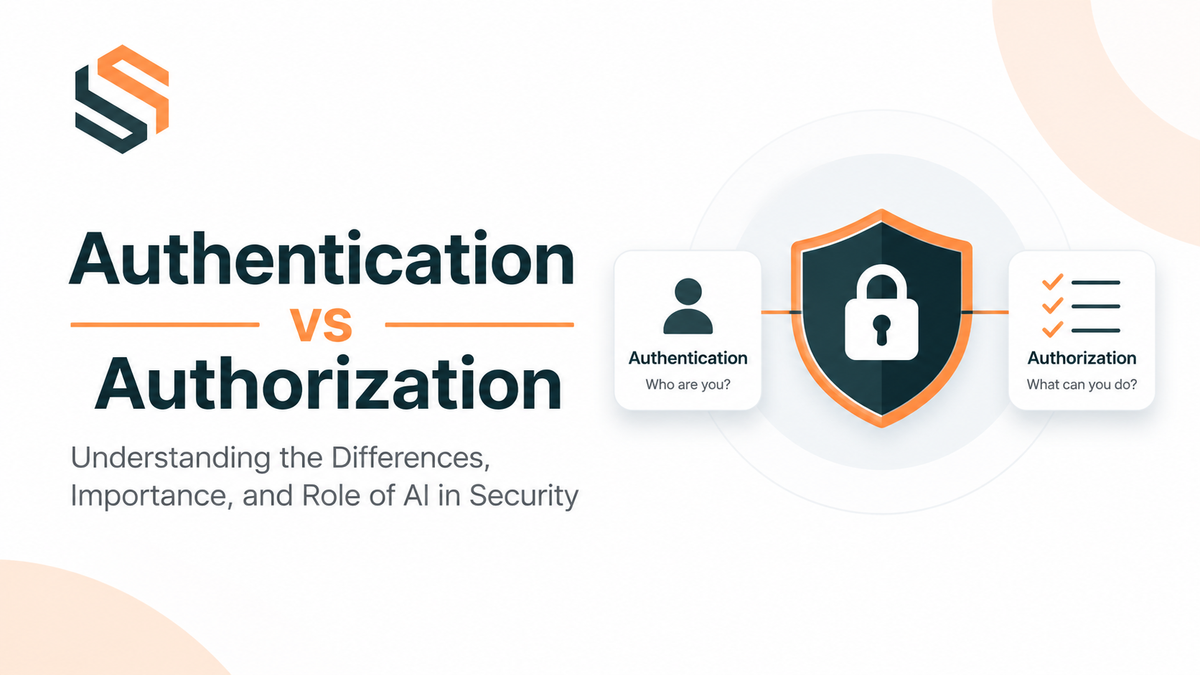
- Authentication (AuthN): Determines who you are.
- Authorization (AuthZ): Determines what you are allowed to do.
For example, imagine you are using an online banking application. When you enter your email address and password, the application verifies your identity. This is authentication. Once you successfully log in, you may be allowed to view your account balance but not access another customer's account. This is authorization.
Both mechanisms work together to protect applications from unauthorized access, data exposure, privilege escalation, and other security threats.
However, application security is becoming more challenging as software architectures evolve. Modern applications use distributed systems, microservices, APIs, cloud infrastructure, third-party integrations, and AI-powered services.
At the same time, Artificial Intelligence is changing how developers and security researchers discover vulnerabilities. AI-powered tools can analyze source code, identify suspicious patterns, detect authentication weaknesses, and help security teams investigate potential attacks.
In this article, we will explore authentication and authorization in detail, understand why they are important, examine their differences, discuss common implementation approaches, and investigate how AI is influencing modern application security.
1. What Is Authentication?
Authentication is the process of verifying the identity of a user, application, service, or system.
In simple terms, authentication answers one important question:
Who are you?
When someone attempts to access an application, the system needs to verify that the person or service is actually who they claim to be.
For example, when a user logs into a website using an email address and password, the application compares the supplied credentials against the stored authentication information.
If the credentials are valid, the system considers the user authenticated and establishes an authenticated session or issues an access token.
How Does Authentication Work?
A typical authentication process follows these steps:
- A user opens an application.
- The user provides credentials, such as an email address and password.
- The frontend sends the credentials to the backend authentication endpoint over HTTPS.
- The backend validates the submitted information.
- The system verifies the password against its securely stored password hash.
- If the credentials are valid, the system creates a session or generates an authentication token.
- The user can now access authenticated parts of the application.
Example: Authentication Using Email and Password
Consider a simple login endpoint in a Node.js application.
import bcrypt from "bcrypt";
import jwt from "jsonwebtoken";

async function login(email: string, password: string) {
  const user = await User.findOne({
    where: { email }
  });

  if (!user) {
    throw new Error("Invalid credentials");
  }

  const isPasswordValid = await bcrypt.compare(
    password,
    user.passwordHash
  );

  if (!isPasswordValid) {
    throw new Error("Invalid credentials");
  }

  const accessToken = jwt.sign(
    {
      sub: user.id,
      role: user.role
    },
    process.env.JWT_SECRET!,
    {
      expiresIn: "15m"
    }
  );

  return { accessToken };
This is a simplified example. Production systems should also implement rate limiting, secure token handling, appropriate signing algorithms, account-status checks, session revocation strategies, and secure secret management.
Common Authentication Methods
1. Username and Password Authentication
The most common authentication mechanism. Users provide a username or email address and a password to verify their identity.
2. Multi-Factor Authentication (MFA)
MFA requires users to provide more than one verification factor.
Examples include:
- Password + authenticator application.
- Password + hardware security key.
- Password + biometric verification.
MFA makes account compromise more difficult, even when a password has been exposed.
3. One-Time Password (OTP)
An OTP is a temporary verification code that can be delivered through an authenticator application, email, or SMS.
4. OAuth 2.0 and OpenID Connect
OAuth 2.0 provides delegated authorization, while OpenID Connect (OIDC) adds an identity layer on top of OAuth 2.0.
These technologies enable users to sign in through identity providers such as Google, Microsoft, and other supported services.
5. Biometric Authentication
Biometric authentication uses physical or behavioral characteristics, such as fingerprints, facial recognition, or device-supported authentication.
6. Passwordless Authentication
Passwordless authentication allows users to authenticate without traditional passwords. Examples include passkeys, WebAuthn, and FIDO2-based authentication.
2. What Is Authorization?
Authorization is the process of determining whether an authenticated user, application, or service has permission to perform a particular action or access a specific resource.
In simple terms, authorization answers:
What are you allowed to do?
Authentication confirms identity, but it does not automatically grant unrestricted access to the application.
For example, consider a school management system with three user roles:
- Super Admin
- Teacher
- Student
All three users may successfully authenticate and access the application. However, they should have different permissions.
A Super Admin may manage users, configure the institution, and access administrative reports.
A Teacher may create assignments, manage attendance, and view students in assigned classes.
A Student may view courses, submit assignments, and check their results.
Although all three users are authenticated, their authorization permissions are different.
How Does Authorization Work?
A typical authorization process works as follows:
- The user successfully authenticates.
- The application identifies the user and retrieves their permissions or role information.
- The user requests a protected resource or performs an action.
- The backend checks whether the user has permission to perform that action.
- If permission is granted, the application processes the request.
- If permission is denied, the application returns an appropriate response, commonly HTTP 403 Forbidden.
Example: Role-Based Authorization in Node.js
function authorize(allowedRoles: string[]) {
  return (req, res, next) => {
    const user = req.user;

    if (!user) {
      return res.status(401).json({
        message: "Authentication required"
      });
    }

    if (!allowedRoles.includes(user.role)) {
      return res.status(403).json({
        message: "Permission denied"
      });
    }

    next();
  };
}
Usage:
app.get(
  "/admin/users",
  requireAuth,
  authorize(["SUPER_ADMIN"]),
  getUsers
);
In this example:
requireAuthverifies that the request comes from an authenticated user.authorizechecks whether the user has the required role.getUsersexecutes only after both checks succeed.
Important: Role checks alone are not always sufficient. A production application must also verify resource ownership, tenant boundaries, object-level permissions, and other relevant business rules.
3. Authentication vs. Authorization: Key Differences
Authentication and authorization are closely related, but they solve different security problems.
| Comparison | Authentication | Authorization |
|---|---|---|
| Purpose | Verifies identity | Controls access |
| Main question | Who are you? | What can you do? |
| Execution | Before authorization | After authentication |
| Input | Credentials or identity proofs | Roles, permissions, policies, context |
| Responsibility | Identity verification | Access control |
| Example | Login using email and password | Accessing the admin dashboard |
| Common mechanisms | Passwords, MFA, OAuth/OIDC, passkeys | RBAC, ABAC, ACL, policies |
| Failure response | Usually HTTP 401 | Usually HTTP 403 |
Real-World Example
Imagine an employee working in a company.
- The employee enters their company credentials.
- The company verifies their identity.
This is authentication.
- The employee attempts to access the finance department's confidential reports.
- The system checks whether the employee has permission to view those reports.
This is authorization.
Even though the employee is a legitimate company member, they should not automatically have access to every internal resource.
Remember: Authentication establishes identity; authorization establishes access rights.
4. Why Are Authentication and Authorization Important?
Authentication and authorization are essential because modern applications manage sensitive information and perform important business operations.
Without proper security controls, applications may expose personal information, financial records, business data, and confidential resources.
Here are some important reasons why both mechanisms are necessary.
4.1 Protecting User Information
Applications frequently store sensitive information, including:
- Personal details.
- Email addresses and phone numbers.
- Financial information.
- Password hashes.
- Educational records.
- Business documents.
Authentication ensures that users prove their identity before accessing protected areas.
Authorization ensures that users can only access information they are permitted to see.
4.2 Preventing Unauthorized Access
Without authentication, attackers may access protected application resources without proving their identity.
Without authorization, an authenticated user may access resources belonging to another user or perform administrative operations without permission.
4.3 Preventing Privilege Escalation
Privilege escalation occurs when an attacker gains permissions beyond those they should have.
For example, a normal user might attempt to modify their role from STUDENT to SUPER_ADMIN by manipulating an API request.
A secure backend must never trust role information supplied directly by the frontend.
4.4 Protecting Business Operations
Consider a SaaS application where multiple organizations use the same platform.
One organization's administrator must not be able to access another organization's private data.
Authentication identifies the administrator, while authorization enforces their permissions and organizational boundaries.
4.5 Supporting Compliance and Auditing
Security controls also support regulatory and organizational requirements.
Depending on the application and jurisdiction, relevant frameworks and regulations may include:
- GDPR.
- HIPAA.
- SOC 2.
- ISO/IEC 27001.
- PCI DSS.
Authentication, access control, logging, and auditing help organizations demonstrate that sensitive resources are appropriately protected.
5. Common Authorization Models
Authorization can be implemented in different ways depending on application complexity and security requirements.
Some of the most widely used authorization models include RBAC, ABAC, ACL, and ReBAC.
5.1 Role-Based Access Control (RBAC)
RBAC stands for Role-Based Access Control.
In this model, permissions are assigned to roles, and users are assigned one or more roles.
For example:
| Role | Permissions |
|---|---|
| SUPER_ADMIN | Manage everything |
| ADMIN | Manage organization |
| TEACHER | Manage classes and assignments |
| STUDENT | View courses and submit assignments |
| GUEST | View public content |
Instead of assigning permissions individually to every user, developers define roles and associate permissions with those roles.
Advantages:
- Easy to understand.
- Simple to implement.
- Suitable for many business applications.
- Centralized permission management.
Limitations:
- Can become complicated when roles increase.
- Difficult to express highly contextual permissions.
- Users with the same role may need different resource access.
RBAC is particularly useful for school management systems, LMS platforms, dashboards, and administrative applications.
5.2 Attribute-Based Access Control (ABAC)
ABAC stands for Attribute-Based Access Control.
Instead of relying only on roles, ABAC evaluates attributes associated with the user, resource, action, and environment.
For example:
A teacher can access student records only when:
- The teacher belongs to the same organization.
- The student belongs to a class assigned to that teacher.
- The requested action is permitted.
- The resource is available under the applicable policy.
ABAC provides more flexibility than basic RBAC.
5.3 Access Control Lists (ACL)
An ACL defines which users or groups can perform specific operations on a particular resource.
For example:
A document may allow:
- User A: Read and write.
- User B: Read only.
- User C: No access.
ACLs are commonly useful in document management systems, file storage, and collaborative applications.
5.4 Relationship-Based Access Control (ReBAC)
ReBAC determines access using relationships between users and resources.
For example:
- A user can access a project because they are a project member.
- A student can view a course because they are enrolled.
- A teacher can manage a class because they are assigned to it.
This model is useful for applications with complex resource relationships.
6. Authentication and Authorization in Modern Application Architecture
Modern software applications are no longer limited to a single backend and database.
Many applications use microservices, distributed systems, API gateways, multiple frontend applications, and third-party integrations.
This makes authentication and authorization more important because security decisions must be enforced consistently across different services.
6.1 Authentication in Microservices Architecture
Consider a SaaS application built using microservices.
It may contain:
- Authentication Service.
- User Service.
- Tenant Service.
- Course Service.
- Payment Service.
- Notification Service.
- Enrollment Service.
- API Gateway.
Instead of implementing independent login functionality in every service, applications commonly use a centralized authentication service.
The authentication service verifies user credentials and issues access tokens.
Other services validate the tokens and independently enforce the permissions relevant to their resources.
6.2 Understanding JWT Authentication
JWT stands for JSON Web Token.
A JWT is a compact token format commonly used to transmit claims between systems.
A signed JWT generally contains three parts:
- Header.
- Payload.
- Signature.
Example payload:
{
  "sub": "user_123",
  "tenantId": "tenant_456",
  "role": "ADMIN",
  "iat": 1795000000,
  "exp": 1795000900
}
The token may contain information about the authenticated user, organization, role, and expiration time.
However, a JWT is not automatically encrypted. Its payload can generally be decoded by anyone who possesses it.
Therefore, sensitive information such as passwords, secret keys, or private personal information should never be included in an ordinary signed JWT payload.
6.3 JWT Signing and Verification
A common production approach is asymmetric signing using RSA or another supported public-key cryptographic algorithm.
For example:
- Authentication service signs tokens using a private key.
- Other microservices verify tokens using the corresponding public key.
- Public keys can be distributed through a JWKS endpoint.
- Tokens are rejected if their signature, issuer, audience, expiration, or other required claims are invalid.
This approach reduces the need to distribute a shared signing secret across every microservice.
However, signature verification alone does not guarantee authorization. Each service must still enforce its own access-control rules.
6.4 API Gateway and Authentication
An API Gateway acts as an entry point for client requests.
It can perform common security operations, such as:
- Token validation.
- Request rate limiting.
- Routing.
- Basic request filtering.
- Request logging.
- Security header handling.
However, the API Gateway should not be the only place where authorization is enforced.
Individual microservices must independently verify that a user is allowed to access the requested resource.
This is especially important when services can be accessed through internal network paths.
7. Authentication and Authorization in Multi-Tenant SaaS Applications
Multi-tenant architecture introduces another important security challenge.
In a multi-tenant SaaS application, multiple organizations share the same software platform, infrastructure, or database resources.
For example, imagine an LMS platform used by:
- School A.
- School B.
- School C.
Each school has its own administrators, teachers, students, courses, and records.
The application must ensure that users from School A cannot access School B's private information.
The Tenant Isolation Problem
Suppose an authenticated administrator sends this request:
GET /api/students/1002
Authorization: Bearer <token>
The backend verifies that the user is authenticated.
However, is that enough?
No.
The backend must also verify that student 1002 belongs to the same tenant that the authenticated user is authorized to access.
A secure query might look like:
const student = await Student.findOne({
  where: {
    id: studentId,
    tenantId: req.user.tenantId
  }
});

if (!student) {
  return res.status(404).json({
    message: "Student not found"
  });
}
This is a simplified example of tenant-scoped access.
The important principle is that the backend must derive the authorized tenant context from trusted authentication and server-side membership information, not blindly trust a tenant ID supplied by the frontend.
Common Multi-Tenant Security Risks
- Insecure Direct Object References (IDOR).
- Broken Object Level Authorization (BOLA).
- Cross-tenant data exposure.
- Unauthorized tenant switching.
- Privilege escalation.
- Missing tenant filters in database queries.
- Incorrect service-to-service authorization.
A single missing tenant condition in a database query can potentially expose another organization's private information.
For SaaS applications, tenant isolation must be treated as a fundamental security requirement rather than an optional feature.
8. Common Authentication and Authorization Vulnerabilities
Even applications with login systems can contain serious security vulnerabilities.
Some of the most common problems include:
8.1 Broken Authentication
Broken authentication occurs when weaknesses in authentication mechanisms allow attackers to compromise accounts or bypass identity verification.
Examples include:
- Weak password policies.
- Insecure password reset functionality.
- Missing MFA protections.
- Poor session management.
- Insecure token storage.
- Missing brute-force protection.
8.2 Broken Access Control
Broken access control happens when an application fails to properly enforce restrictions on what authenticated users can access or modify.
For example, a normal user might access an administrative API simply by changing the endpoint.
8.3 IDOR and BOLA
IDOR stands for Insecure Direct Object Reference.
BOLA stands for Broken Object Level Authorization.
Consider this endpoint:
GET /api/users/101
If a user changes the ID to 102 and can retrieve another user's private information, the application may have a BOLA vulnerability.
The problem is not necessarily that the user is unauthenticated.
The problem is that the application failed to verify whether the authenticated user is authorized to access that specific object.
8.4 JWT Misconfiguration
JWT-related vulnerabilities can occur when developers:
- Accept unexpected signing algorithms.
- Fail to validate token expiration.
- Do not validate issuer or audience.
- Use weak signing secrets.
- Expose private signing keys.
- Fail to handle compromised or revoked tokens.
- Trust unverified claims.
Always explicitly configure and validate the expected signing algorithm and required token claims.
8.5 Insecure Session Management
Session vulnerabilities may occur when applications:
- Use predictable session identifiers.
- Do not rotate sessions after login.
- Allow sessions to remain active indefinitely.
- Fail to invalidate sessions after logout or account compromise.
- Store sensitive tokens insecurely.
8.6 Privilege Escalation
Imagine a student updating their profile through an API:
{
  "name": "John",
  "role": "SUPER_ADMIN"
}
If the backend accepts this field without validation and authorization, an attacker may gain administrative privileges.
Never allow users to modify privileged fields without explicit server-side authorization.
9. The Current Security Landscape: How AI Is Changing Vulnerability Detection
Artificial Intelligence is becoming an important part of modern cybersecurity.
Traditionally, identifying security vulnerabilities required security researchers, penetration testers, code auditors, and developers to manually inspect source code, application behavior, and infrastructure configurations.
Although automated security scanners have existed for years, recent advancements in large language models, AI agents, and automated reasoning are creating new possibilities.
AI can help analyze large codebases, understand application logic, identify suspicious code paths, and assist security researchers in investigating vulnerabilities.
9.1 AI-Powered Source Code Analysis
AI tools can examine application source code and identify potentially dangerous patterns.
For example, an AI-powered code review tool might detect:
- Missing authentication middleware.
- Missing authorization checks.
- Unsafe database queries.
- Insecure password handling.
- Hardcoded credentials.
- Improper JWT verification.
- Potential SQL injection.
- Missing tenant isolation conditions.
Consider the following code:
app.get("/api/users/:id", async (req, res) => {
  const user = await User.findByPk(req.params.id);

  return res.json(user);
});
An AI security reviewer might identify several potential concerns:
- No visible authentication middleware.
- No object-level authorization check.
- No tenant isolation condition.
- Possible exposure of sensitive user fields.
AI can then suggest a safer implementation:
app.get(
  "/api/users/:id",
  requireAuth,
  async (req, res) => {
    const user = await User.findOne({
      where: {
        id: req.params.id,
        tenantId: req.user.tenantId
      },
      attributes: [
        "id",
        "name",
        "email"
      ]
    });

    if (!user) {
      return res.status(404).json({
        message: "User not found"
      });
    }

    return res.json(user);
  }
);
This example demonstrates how AI can help developers recognize missing security controls.
However, AI-generated suggestions must still be reviewed and tested. The correct implementation depends on the application's actual authorization model.
9.2 AI-Powered Automated Security Testing
AI agents can assist in security testing by:
- Exploring application endpoints.
- Understanding API request and response structures.
- Generating test cases.
- Identifying suspicious access-control behavior.
- Testing authentication workflows.
- Investigating unexpected application responses.
For example, an AI agent may test whether a student can access another student's assignment or whether an administrator from one tenant can retrieve records from another tenant.
These tests can help identify authorization weaknesses that traditional static code analysis may miss.
Such testing must be conducted in an authorized environment.
9.3 AI and Business Logic Vulnerabilities
One of the most challenging areas of application security is business logic.
Traditional scanners are often good at identifying recognizable technical patterns, but complex authorization problems depend on understanding how an application is supposed to behave.
For example:
- Can a teacher modify grades belonging to another class?
- Can a tenant administrator access another tenant's billing information?
- Can a student download course materials without enrollment?
- Can a user access a payment record belonging to another account?
AI-assisted analysis can help understand these workflows and generate test scenarios.
However, detecting the actual vulnerability still requires correct application context and validation.
9.4 AI-Assisted Vulnerability Discovery and Research
AI is also being explored for vulnerability discovery in complex software systems.
Models can assist with:
- Source code auditing.
- Reverse engineering.
- Vulnerability triage.
- Patch analysis.
- Test generation.
- Security report preparation.
Research initiatives and systems such as OpenAI's Codex Security and Google's Big Sleep demonstrate growing interest in applying AI to software vulnerability research and defensive security.
These developments indicate that AI is becoming more than a coding assistant: it is increasingly being explored as a security research tool.
9.5 AI Is Also Helping Attackers
It is important to understand that AI does not benefit only defenders.
Attackers can also use AI to:
- Generate phishing messages.
- Automate reconnaissance.
- Create malicious scripts.
- Analyze exposed source code.
- Discover weak application configurations.
- Adapt attacks more quickly.
This creates an evolving security landscape in which developers must improve their defensive practices.
AI does not automatically make applications secure. It increases the capabilities of both security defenders and attackers.
10. Popular Tools for Detecting Security Vulnerabilities
Developers can combine traditional security tools with AI-assisted solutions to improve application security.
| Tool | Primary Purpose |
|---|---|
| OWASP ZAP | Web application security testing |
| Burp Suite | Web application penetration testing |
| Semgrep | Static code analysis |
| SonarQube | Code quality and security analysis |
| Snyk | Dependency and code security |
| GitHub CodeQL | Semantic code analysis |
| GitHub Advanced Security | Repository security features |
| Trivy | Container, dependency, and configuration scanning |
| Nuclei | Template-based vulnerability scanning |
| Gitleaks | Secret detection |
AI-assisted developer tools can complement these solutions by explaining findings, identifying related code paths, generating tests, and helping developers understand remediation options.
No single tool can guarantee that an application is secure.
A combination of static analysis, dynamic testing, dependency scanning, manual review, and runtime monitoring is much more effective.
11. Best Practices for Implementing Authentication and Authorization
Whether you are developing a small application or a large-scale SaaS platform, the following practices can significantly improve security.
Authentication Best Practices
- Never store plain-text passwords.
- Use Argon2id or an appropriately configured bcrypt implementation for password hashing.
- Implement multi-factor authentication where appropriate.
- Use HTTPS for all sensitive communication.
- Apply login rate limiting and brute-force protection.
- Use secure session management.
- Implement secure password reset workflows.
- Configure short-lived access tokens where appropriate.
- Validate JWT signatures, algorithms, expiration, issuer, and audience.
- Protect refresh tokens and support appropriate revocation strategies.
- Never expose private keys or authentication secrets.
- Monitor suspicious login activity.
Authorization Best Practices
- Enforce authorization on the backend.
- Never rely on frontend role checks as a security boundary.
- Apply the principle of least privilege.
- Verify resource ownership on every protected operation.
- Implement tenant isolation in multi-tenant applications.
- Use RBAC, ABAC, or other suitable access-control models.
- Validate permissions for both read and write operations.
- Prevent users from modifying privileged fields.
- Audit sensitive administrative actions.
- Review authorization policies regularly.
- Test for BOLA and IDOR vulnerabilities.
- Deny access by default when permission cannot be established.
Additional Security Recommendations
Security should be part of the entire software development lifecycle.
Consider implementing:
- Automated security testing in CI/CD pipelines.
- Dependency vulnerability scanning.
- Secret scanning.
- Infrastructure security checks.
- Centralized logging and monitoring.
- Regular penetration testing.
- Incident response procedures.
- Secure code review.
12. Authentication vs. Authorization: A Practical Example
Let's understand how both concepts work together in a real-world LMS application.
Imagine a school management platform with four types of users:
- Super Admin.
- School Admin.
- Teacher.
- Student.
Scenario 1: User Login
A teacher enters their email address and password.
The authentication service verifies their credentials and issues an access token.
Authentication: Successful.
Scenario 2: Accessing the Teacher Dashboard
The teacher requests:
GET /api/teacher/dashboardThe backend verifies the token and checks whether the user has permission to access the teacher dashboard.
Authentication: Successful.
Authorization: Successful.
Scenario 3: Accessing the Super Admin Dashboard
The same teacher attempts:
GET /api/super-admin/dashboardThe backend verifies the token, but the user does not have the required administrative permission.
Authentication: Successful.
Authorization: Failed.
The application returns:
HTTP/1.1 403 ForbiddenScenario 4: Accessing Another School's Student Records
A teacher attempts to retrieve a student belonging to another school.
Even though the teacher is authenticated and has a valid teacher role, the backend must verify tenant membership and the teacher's relationship with the requested student.
If the relationship does not satisfy the access policy, the request must be denied.
This demonstrates why authentication and authorization must be implemented together.
13. The Future of Application Security
As applications become more distributed and interconnected, security requirements will continue to evolve.
Several technologies and approaches are shaping the future of authentication and authorization.
Zero Trust Security
Zero Trust is a security approach based on the principle of never automatically trusting a user, device, or service simply because it is inside a network.
Every access request should be evaluated using appropriate identity, authorization, and contextual information.
Passkeys and Passwordless Authentication
Passkeys and FIDO-based authentication are helping reduce dependence on traditional passwords.
They can improve protection against phishing and credential theft when implemented correctly.
Fine-Grained Authorization
Applications are increasingly moving beyond simple role-based access control.
Fine-grained authorization allows developers to define permissions based on resource ownership, organizational relationships, contextual attributes, and business rules.
AI-Assisted Security Engineering
AI will likely become increasingly integrated into development workflows.
Potential applications include:
- Continuous security code reviews.
- Automated vulnerability investigation.
- Intelligent authorization testing.
- AI-assisted penetration testing.
- Security alert prioritization.
- Automated patch suggestions.
Nevertheless, human security expertise, independent validation, and appropriate oversight will remain important.
Conclusion
Authentication and authorization are two fundamental pillars of application security.
Authentication verifies the identity of a user or service, while authorization determines what that identity is allowed to access or perform.
A secure application requires both.
Authentication without proper authorization can allow legitimate users to access resources they should not be able to access. Similarly, authorization without reliable authentication cannot establish whose permissions should be evaluated.
As modern applications adopt microservices, cloud infrastructure, APIs, and multi-tenant SaaS architectures, implementing these security mechanisms correctly becomes increasingly important.
At the same time, AI is transforming how developers and security researchers identify vulnerabilities. AI-powered tools can assist with code analysis, automated testing, vulnerability discovery, and security remediation.
However, AI should be treated as an additional security capability rather than a replacement for secure engineering practices.
The most effective approach combines secure authentication, server-side authorization, tenant isolation, automated security testing, continuous monitoring, and regular security reviews.
Remember: A successful login does not mean unlimited access. Verify identity, validate permissions, and protect every resource.
Frequently Asked Questions (FAQs)
1. What is the main difference between authentication and authorization?
Authentication verifies the identity of a user, while authorization determines which resources and operations that user is allowed to access.
2. Can authorization work without authentication?
Yes, in some scenarios. For example, public resources may have access policies that do not require users to log in. However, identifying a specific user's permissions generally requires an authenticated identity or another trusted context.
3. Is JWT used for authentication or authorization?
JWT is a token format that can carry identity and other claims. It is commonly used in authentication systems, while its verified claims may also help authorization decisions. JWT itself does not automatically implement authorization.
4. Is OAuth 2.0 an authentication protocol?
OAuth 2.0 is primarily an authorization framework for delegated access. OpenID Connect adds an authentication layer on top of OAuth 2.0.
5. What is RBAC?
RBAC stands for Role-Based Access Control. It is an authorization model in which users receive permissions through assigned roles.
6. What is the difference between HTTP 401 and HTTP 403?
HTTP 401 Unauthorized indicates that valid authentication credentials are missing or unacceptable. HTTP 403 Forbidden indicates that the server understood the request but refuses to authorize it.
7. Can AI detect authentication and authorization vulnerabilities?
Yes. AI-powered tools can help identify missing authentication middleware, weak token validation, missing access-control checks, and potential tenant isolation issues. However, AI findings require verification through code review and security testing.
8. Is checking user roles on the frontend sufficient?
No. Frontend checks are useful for controlling the user interface, but authorization must always be enforced by the backend.
9. What is Broken Object Level Authorization (BOLA)?
BOLA is an API security vulnerability that occurs when an application fails to verify whether a user is authorized to access a particular object or resource.
10. Which authorization model is best for SaaS applications?
RBAC is a good starting point for many SaaS applications. ABAC and ReBAC can provide more granular access control when permissions depend on attributes, relationships, or complex business rules. Many applications combine multiple models.
Recommended Resources
- OWASP: https://owasp.org/
- OWASP Top 10: https://owasp.org/www-project-top-ten/
- OWASP API Security Top 10: https://owasp.org/www-project-api-security/
- OWASP Authorization Cheat Sheet: https://cheatsheetseries.owasp.org/cheatsheets/Authorization_Cheat_Sheet.html
- OWASP Authentication Cheat Sheet: https://cheatsheetseries.owasp.org/cheatsheets/Authentication_Cheat_Sheet.html
- JWT Introduction: https://jwt.io/introduction
- OAuth 2.0: https://oauth.net/2/
- OpenID Connect: https://openid.net/developers/how-connect-works/
- NIST Digital Identity Guidelines: https://pages.nist.gov/800-63-4/
- MITRE ATT&CK: https://attack.mitre.org/