Why Every Business Website Needs Automatic Backups

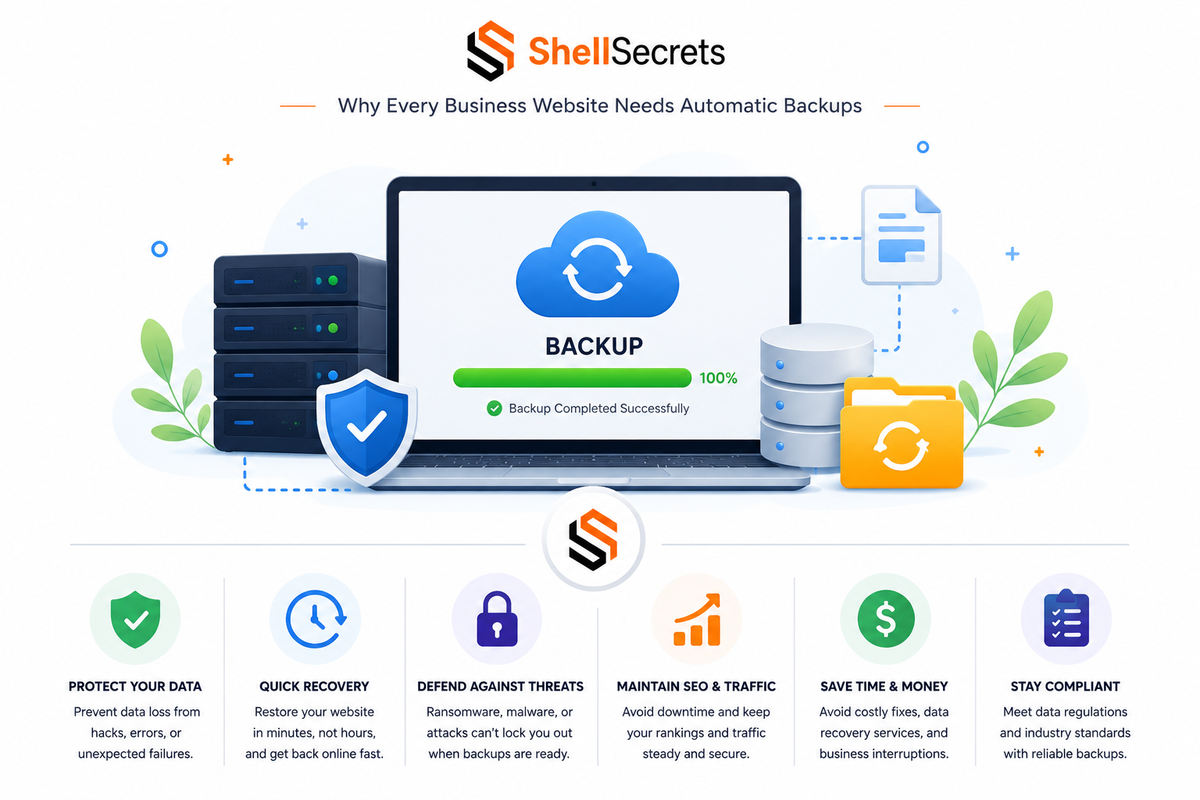
In today’s digital world, a business website is far more than an online brochure. It is a company’s storefront, marketing engine, customer communication platform, sales system, and often the center of daily operations.
Whether you run a startup, eCommerce store, SaaS platform, agency website, or corporate portal, your website contains valuable assets:
- Customer data
- Product information
- Business emails
- Databases
- Orders and transactions
- SEO rankings
- Brand reputation
- Proprietary content
Yet despite this importance, many businesses still ignore one of the most critical parts of website security and infrastructure management:
Automatic backups.
Most organizations only realize the value of backups after disaster strikes.
A hacked server, failed update, accidental deletion, hardware failure, or ransomware attack can wipe out years of work within minutes.
This is why automatic backups are no longer optional. They are an essential part of modern business continuity and cybersecurity strategy.
In this article, we’ll break down why every business website needs automatic backups, the risks of not having them, best practices for backup strategies, and how automated backups protect your infrastructure, revenue, and reputation.
What Is an Automatic Website Backup?
An automatic website backup is a scheduled process that creates copies of your website data without requiring manual intervention.
These backups usually include:
- Website files
- Databases
- Media uploads
- Configurations
- Emails
- Application data
- Server settings
Automatic backups can run:
- Hourly
- Daily
- Weekly
- Real-time
Depending on the business requirements.
The primary goal is simple:
Ensure your website can be restored quickly if something goes wrong.
Why Website Backups Matter More Than Ever
Modern websites are more complex than ever before.
Businesses rely on:
- Cloud hosting
- APIs
- CMS platforms
- Plugins and extensions
- Payment systems
- User authentication
- Third-party integrations
Every additional component increases the risk of failure.
Even a small configuration mistake can break an entire website.
Without backups, recovery becomes extremely difficult — sometimes impossible.
The Biggest Threats Businesses Face
Many business owners assume backups are only necessary for large corporations.
That assumption is dangerous.
Cybercriminals, malware, and technical failures affect businesses of all sizes.
Here are the most common threats.
1. Cyberattacks and Hacking
Cyberattacks are one of the leading reasons websites go offline.
Attackers target websites through:
- Vulnerable plugins
- Weak passwords
- Outdated software
- SQL injection
- Remote code execution
- Credential theft
Once attackers gain access, they may:
- Delete files
- Encrypt databases
- Deface the website
- Steal customer information
- Install malware
- Redirect traffic
Without backups, restoring the website can become a nightmare.
Automatic backups allow businesses to recover quickly after security incidents.
Instead of rebuilding from scratch, administrators can restore a clean version of the website within minutes.
2. Human Error
Not all disasters come from hackers.
Sometimes employees accidentally cause damage.
Examples include:
- Deleting important files
- Misconfiguring DNS settings
- Overwriting databases
- Removing website content
- Breaking applications during updates
Human error is one of the most underestimated infrastructure risks.
Even experienced administrators make mistakes.
Backups provide a safety net.
3. Failed Updates
CMS platforms like WordPress, Joomla, Magento, and Drupal depend heavily on themes, plugins, and updates.
Sometimes updates fail because of:
- Compatibility issues
- Corrupted files
- Dependency conflicts
- Interrupted installations
A single plugin update can crash an entire production website.
With automatic backups, rollback becomes simple.
4. Hardware Failures
Servers are physical systems.
Physical systems fail.
Problems include:
- Disk failures
- RAID corruption
- Power issues
- Memory errors
- Storage controller failures
Even cloud providers experience infrastructure outages.
Businesses often assume cloud hosting automatically guarantees full recovery.
That is not always true.
Cloud redundancy is not the same as backup redundancy.
5. Ransomware Attacks
Ransomware encrypts business data and demands payment for recovery.
Modern ransomware groups increasingly target web servers and cloud infrastructure.
Without secure backups:
- Websites remain inaccessible
- Databases become unusable
- Operations stop entirely
Reliable backups are one of the strongest defenses against ransomware.
If clean backup copies exist, businesses can restore operations without paying attackers.
6. Software Corruption
Applications and databases can become corrupted due to:
- Failed migrations
- Coding bugs
- File system issues
- Database crashes
- Malware infections
Corruption may remain unnoticed for days.
This is why backup retention policies matter.
Businesses need multiple restore points — not just the latest copy.
The Real Cost of Website Downtime
Website downtime is expensive.
For businesses, even short outages can result in:
- Lost revenue
- Reduced customer trust
- SEO ranking drops
- Reputation damage
- Missed leads
- Customer churn
For eCommerce platforms, downtime directly impacts sales.
For SaaS companies, it affects customer retention.
For agencies, it damages client trust.
The longer recovery takes, the greater the business impact.
Automatic backups reduce recovery time dramatically.
SEO Impact of Website Data Loss
Website backups are not only about cybersecurity.
They also protect SEO performance.
Search engines value:
- Stable uptime
- Consistent content
- Fast accessibility
- Reliable infrastructure
If a website disappears or gets infected with malware:
- Rankings may drop
- Pages can be deindexed
- Traffic can collapse
- Google may flag the site as unsafe
Losing years of SEO progress can severely damage online visibility.
Automatic backups help restore websites before long-term SEO damage occurs.
Why Manual Backups Are Not Enough
Some businesses rely on manual backups.
This approach is risky.
Manual backup problems include:
- Forgotten schedules
- Inconsistent copies
- Missing files
- Outdated restore points
- Human dependency
In emergencies, manual systems often fail.
Automatic backups remove uncertainty.
The process runs consistently without requiring human action.
Key Features of a Good Backup Strategy
Not all backups are equal.
Businesses need structured backup strategies.
1. Automated Scheduling
Backups should happen automatically.
Critical websites may require:
- Hourly backups
- Real-time database replication
- Daily snapshots
Static websites may only require daily or weekly backups.
2. Offsite Storage
Storing backups on the same server is dangerous.
If the server fails, both the production data and backups may disappear.
Businesses should use:
- Cloud object storage
- Remote servers
- Multi-region storage
- Cold storage systems
Examples include:
- Amazon S3
- Backblaze B2
- Google Cloud Storage
- Azure Blob Storage
Offsite backups improve disaster recovery significantly.
3. Multiple Restore Points
Businesses should keep backup history.
For example:
- Last 24 hours
- Last 7 days
- Last 30 days
- Monthly archives
This protects against unnoticed corruption or malware infections.
4. Encryption
Backup data often contains sensitive information.
Unencrypted backups create security risks.
Backup systems should support:
- Encryption at rest
- Encryption in transit
- Secure access control
Protecting backups is as important as protecting production servers.
5. Backup Verification
A backup that cannot be restored is useless.
Businesses should regularly test:
- Restore procedures
- File integrity
- Database recovery
- Full disaster recovery workflows
Many companies discover broken backups only during real emergencies.
6. Fast Recovery
Recovery speed matters.
The best backup systems support:
- One-click restores
- Incremental recovery
- Snapshot restoration
- Rapid deployment
The goal is minimizing downtime.
Types of Website Backups
Different backup types serve different purposes.
Full Backups
A complete copy of all website data.
Advantages:
- Simple restoration
- Complete protection
Disadvantages:
- Large storage usage
- Slower backup times
Incremental Backups
Only changed files are backed up after the initial copy.
Advantages:
- Faster backups
- Lower storage requirements
Disadvantages:
- More complex restoration
Differential Backups
Backs up changes since the last full backup.
A balance between full and incremental methods.
Snapshot Backups
Common in cloud infrastructure and virtual machines.
Snapshots capture the entire server state at a specific moment.
Useful for:
- Rapid rollback
- Infrastructure recovery
- DevOps environments
Industries That Need Backups Most
Every business needs backups, but some industries face especially high risks.
eCommerce Websites
Online stores handle:
- Orders
- Payments
- Inventory
- Customer information
Downtime directly affects revenue.
Healthcare Platforms
Healthcare systems manage sensitive patient data.
Data loss can create legal and operational disasters.
Financial Services
Banks, fintech platforms, and payment systems require high availability and compliance.
SaaS Companies
SaaS businesses rely entirely on uptime and customer trust.
Backups are mission-critical.
Agencies and Portfolio Websites
Creative agencies and freelancers store years of client work online.
Website recovery protects reputation and client relationships.
Common Backup Mistakes Businesses Make
Many businesses think they have backups when they actually don’t have reliable recovery systems.
Common mistakes include:
- Never testing restores
- Keeping backups on the same server
- No backup monitoring
- Weak retention policies
- Relying entirely on hosting providers
- Ignoring database backups
- No disaster recovery plan
Backups must be treated as operational infrastructure — not an afterthought.
Cloud Hosting Does Not Replace Backups
This is one of the biggest misconceptions in IT.
Businesses often assume:
“My cloud provider handles backups.”
Cloud providers may offer redundancy, but that does not guarantee recovery from:
- Accidental deletion
- Malware
- Application corruption
- Insider threats
- Misconfigurations
The shared responsibility model means customers remain responsible for protecting their own data.
Always maintain independent backups.
Backup Best Practices for Businesses
Here are proven best practices used in professional infrastructure environments.
Follow the 3-2-1 Rule
Keep:
- 3 copies of data
- 2 different storage types
- 1 offsite copy
This dramatically improves resilience.
Use Immutable Backups
Immutable backups cannot be modified or deleted during a retention period.
This protects against ransomware attacks.
Automate Everything
Human-dependent systems fail under pressure.
Automation improves reliability.
Monitor Backup Jobs
Businesses should receive alerts if backups fail.
Silent failures are dangerous.
Restrict Backup Access
Not every employee should access backup systems.
Apply least-privilege access controls.
Separate Production and Backup Credentials
Using the same credentials increases risk.
Compromised production accounts should not expose backups.
The Role of Backups in Disaster Recovery
Backups are part of a larger disaster recovery strategy.
Disaster recovery planning includes:
- Infrastructure recovery
- Communication procedures
- Recovery timelines
- Data restoration
- Operational continuity
Backups alone are not enough.
Organizations also need documented recovery processes.
How Automatic Backups Improve Business Confidence
Reliable backup systems improve operational confidence.
Teams can:
- Deploy updates safely
- Test changes confidently
- Recover faster
- Reduce downtime anxiety
Developers and system administrators work more efficiently when rollback options exist.
Modern Backup Solutions for Businesses
Today’s backup ecosystem includes:
- Managed hosting backups
- Cloud-native backup tools
- Snapshot automation
- Kubernetes backup platforms
- Database replication systems
- Infrastructure-as-Code recovery workflows
Popular technologies include:
- Veeam
- Acronis
- Rclone
- BorgBackup
- Restic
- Velero
- AWS Backup
- JetBackup
The right solution depends on infrastructure size and business needs.
Why ShellSecrets Recommends Automated Backups
At ShellSecrets, we strongly recommend automatic backups as a foundational security practice for every business website.
Cybersecurity is not only about preventing attacks.
It is also about:
- Recovery
- Resilience
- Business continuity
A well-designed backup strategy protects businesses from:
- Cyberattacks
- Downtime
- Human mistakes
- Data corruption
- Infrastructure failures
Backups reduce operational risk and improve long-term reliability.
Final Thoughts
A business website is one of the most valuable digital assets an organization owns.
Losing it — even temporarily — can create serious financial, operational, and reputational consequences.
Automatic backups provide a critical safety net.
They help businesses:
- Recover quickly
- Protect customer trust
- Prevent permanent data loss
- Minimize downtime
- Defend against ransomware
- Maintain SEO rankings
Modern cyber threats and infrastructure failures are inevitable realities of operating online.
The difference between a temporary disruption and a catastrophic business failure often comes down to one thing:
Whether reliable backups exist.
For modern businesses, automatic backups are not optional infrastructure.
They are essential digital insurance.